
How AI Agents Simplify Google Ads Management for Performance Marketers
Coordinating campaigns around the business signals Google cannot see on its own.
Anyone who has managed a sizable Google Ads account knows how quickly it becomes complicated.
A few Search campaigns turn into Shopping, Demand Gen, Performance Max, App campaigns, brand and non-brand Search, remarketing, and more. Then a promotion launches, inventory changes, a landing page gets updated, or the business starts pushing a different product. Every change creates another set of decisions across the account.
Google is already very good at optimizing campaigns with the signals available inside Google Ads.
An agent helps by adding business context and connecting decisions across campaigns while Google’s bidding systems keep doing the campaign-level optimization.
See how MAI carries recurring campaign tuning from evidence to action inside a defined Media Plan.
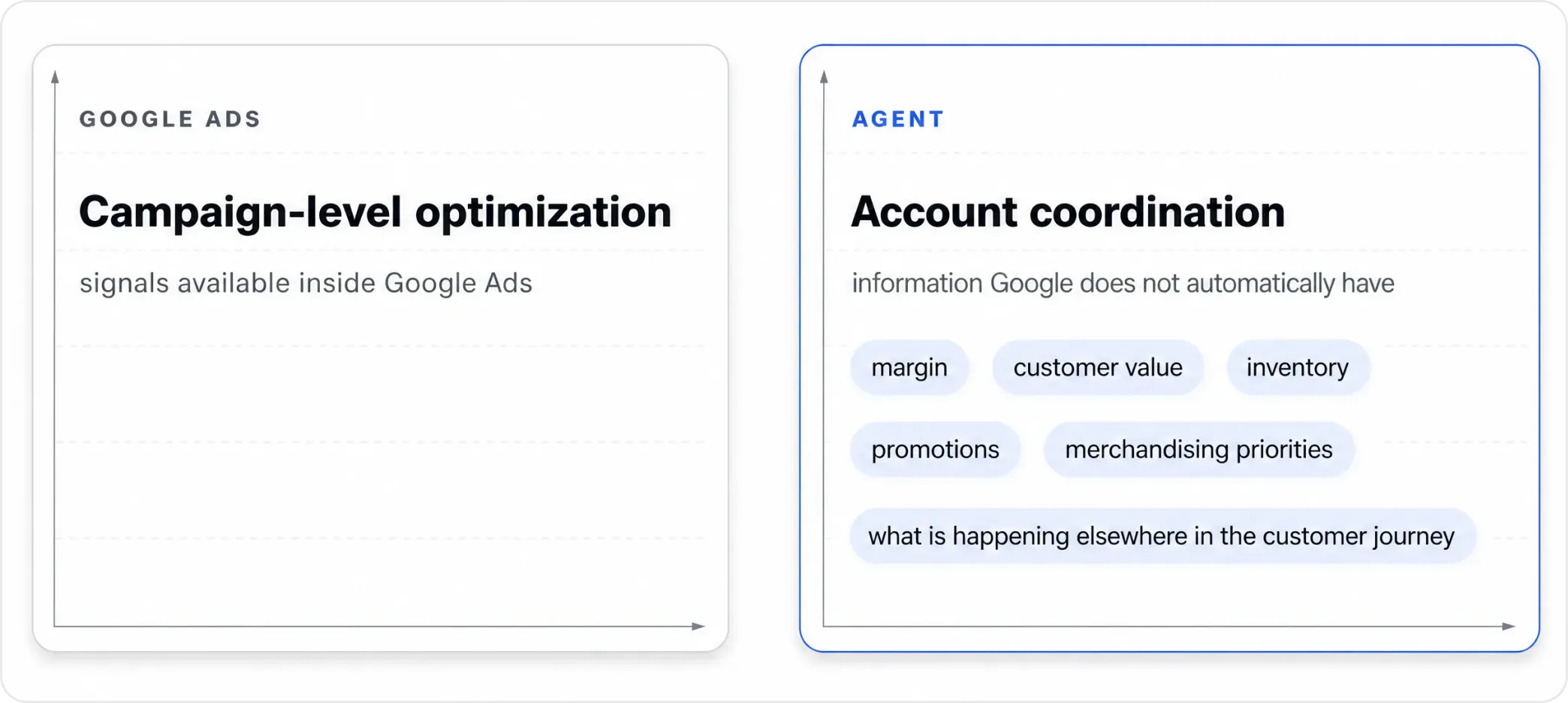
Google optimization + business context
Google Ads signals, and what changes the decision
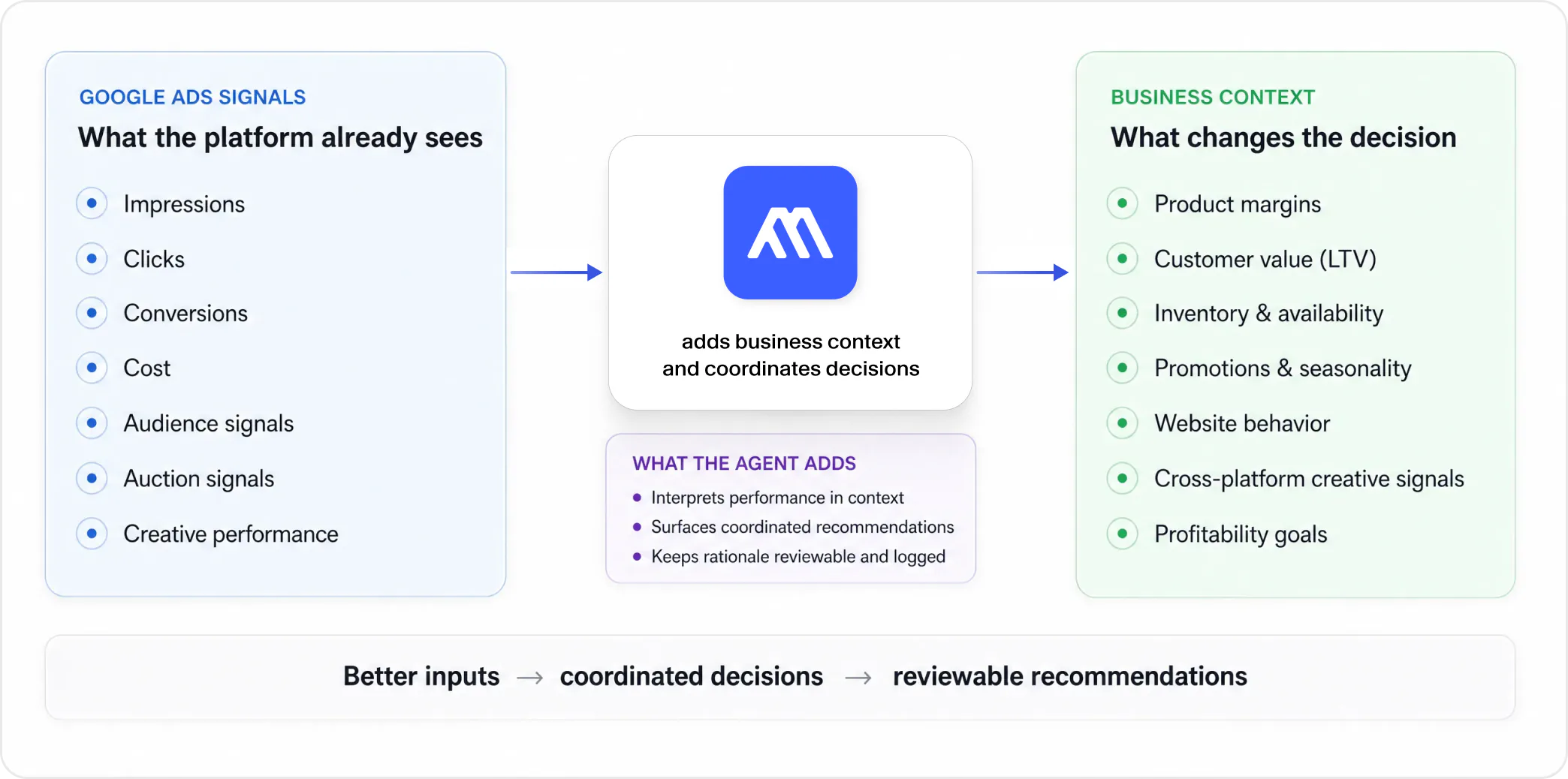
Google can optimize only with the information it has
Google’s bidding algorithms can optimize toward the conversion signals and targets they are given. They do not automatically know which products have the strongest margins, which customers are more valuable over time, which SKUs need inventory cleared, or how next week’s promotion should change today’s budget decisions.
Those details matter because two campaigns can look similar in Google Ads while being very different businesses underneath. A keyword with a strong reported return may send traffic to a low-margin product. A Shopping campaign may be efficient overall while spending too little behind the SKUs the business actually wants to scale.
MAI adds that context around the account. It can combine campaign performance with business and website signals, then use that evidence to recommend how strategy should change. Google still handles campaign-level bidding; the agent gives the rest of the account a better commercial frame.
Coordinate different campaign types around one goal
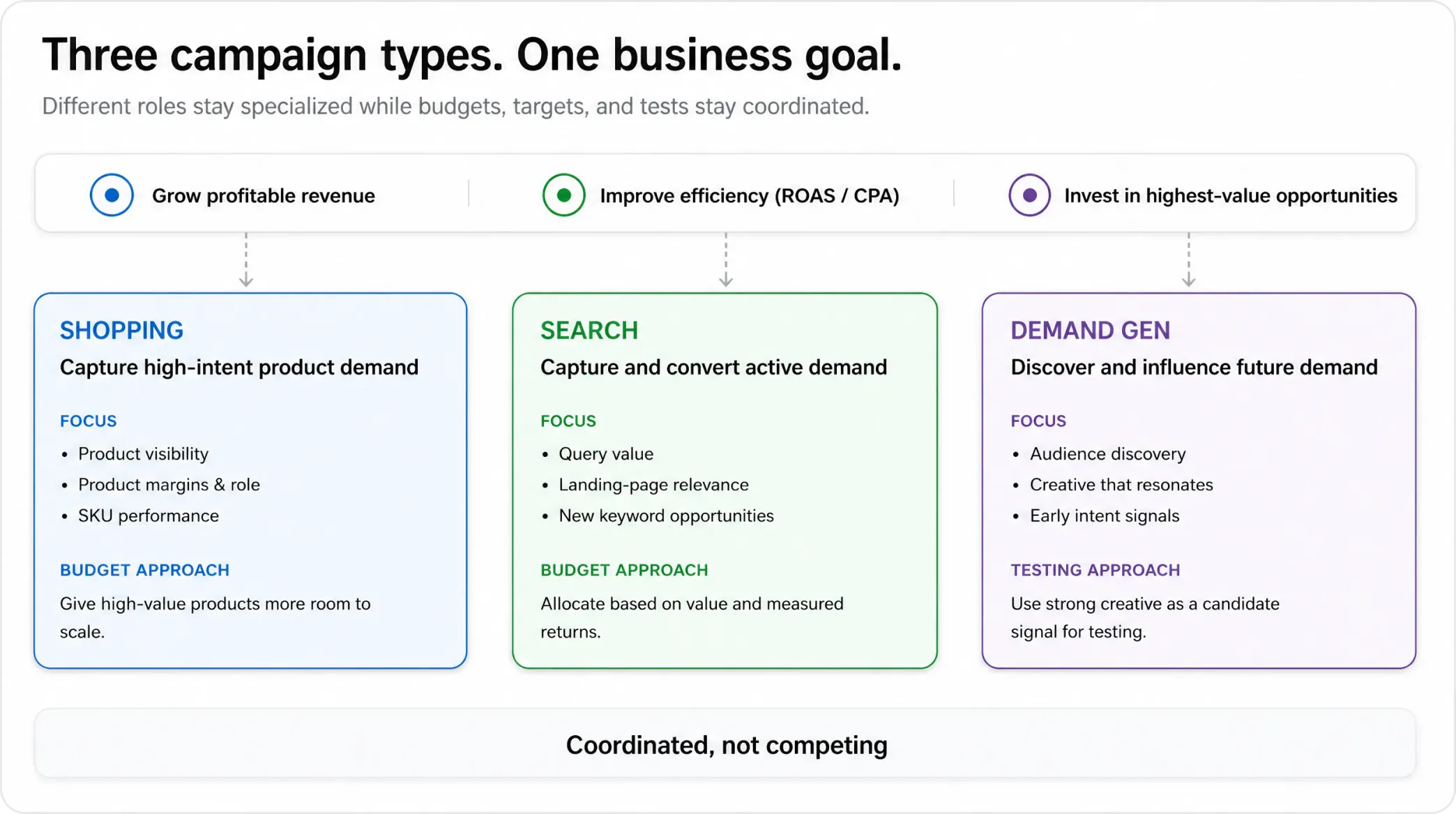
A large Google Ads account is easier to manage when each campaign type has a clear job and the portfolio is still coordinated around one business objective.
Shopping, Search, and Demand Gen should not all be managed the same way. They need different inputs and different decisions. What matters is that those decisions do not pull the account in conflicting directions.
| Campaign type | Decision to coordinate | Business context | MAI response |
|---|---|---|---|
| Shopping | Which products receive budget and which targets apply? | Margin, catalog role, launch status, performance history | Group products by business value and use differentiated targets. |
| Search | What is each query worth and where should traffic land? | Products, pricing, history, landing-page behavior | Evaluate query value, surface opportunities, and flag landing-page issues. |
| Demand Gen | Which creative may reveal or capture emerging intent? | Asset performance across platforms | Use cross-platform creative performance as a candidate signal for testing. |
Across these campaign types, start with the decision the marketer needs to make, then add the business context that changes what good performance means.
For Shopping, that may mean giving higher-margin or strategically important products more room to scale while protecting efficiency elsewhere. For Search, it may mean looking beyond query performance to the value of the product and the quality of the landing page. For Demand Gen, creative that is already working on another platform can be a useful testing candidate rather than starting from a blank slate.
Budget changes should have evidence behind them
When real money moves, one good day should not be enough to justify a large change.
A practical operating model protects proven traffic while giving new opportunities a controlled amount of budget to earn more. If a new query, product group, audience, or creative idea starts to look promising, the next step should usually be a bounded test rather than an immediate reallocation away from what is already working.
MAI can surface significant changes as proposals with the reasoning attached. That gives the team a chance to see what changed, why the recommendation is being made, and what the proposed action would affect before the change is approved or executed within the configured operating model.
Alerts are more useful when they include the investigation
A generic alert still leaves the media buyer with the work of figuring out what happened. The useful alert includes the investigation, not just the symptom.
When performance moves unexpectedly, the useful questions are familiar: Did tracking break? Did the landing page change? Is the shift seasonal? Did a technical problem affect conversion? Is the account seeing a real demand change or just normal noise?
MAI can investigate those signals together and attach the likely explanation and next action to the alert. Recommendations and actions are logged, so the team has a record of what was proposed and what happened next.
Alerts are more useful when they include the investigation
The useful alert includes the investigation, not just the symptom.
- 1 Detect signal A meaningful change in performance
- 2 Add context Business + website signals clarify impact
- 3 Explain What changed, why it matters, what is at stake
- 4 Recommend A next action with rationale
- 5 Review / act Configured review or execution, then log the result


What gets simpler for the media buyer
Google Ads is not getting simpler, and performance teams do not need another layer of dashboards to manage.
They need a cleaner way to coordinate campaign roles, business context, testing, budget decisions, and account changes. An agent is useful when it shortens the path from a change in the account to a decision the team can review.
For a performance marketer, that means spending less time stitching together campaign-level signals and more time deciding where the next opportunity actually is.
See how MAI can simplify Google Ads management
See how MAI can connect Google Ads performance with business context and turn account changes into reviewable recommendations.
Similar articles
Your Ad Platforms Don't Talk to Each Other. Your AI Agent Should.
- AI Media Buying
- Cross-Channel Marketing
- Paid Media
- Media Buying
- AI Agents
Google and Meta optimize their own ecosystems. An AI agent connects cross-channel signals to better creative and budget decisions.
Where Should the Next Dollar Go?
- Budget Allocation
- Marketing Mix Modeling
- Marginal ROAS
Measure what your spend drives, compare the return on the next dollar, and validate the decision with incrementality experiments.
What Is an AI Performance Marketing Agent?
- AI Agents
- AI Media Buying
- Performance Marketing
- Paid Media
- Marketing Automation
An AI performance marketing agent continuously monitors paid media, works out what changed and why, and can carry decisions through to action within defined permissions.